
Lock down your EBT card to protect from fraud
2026-11-03 / tags: guides, rants, security
A dear friend of mine was recently devastated to learn that their SNAP benefits had been drained after their EBT card was skimmed at a store, only finding out when their card was declined for lack of funds trying to buy some food at a deli. As ProPublica reports, their experience is not an isolated incident, with over $470 million in SNAP benefits being stolen from recipients in 2025 as reported by a private company, Propel. Keep that name in mind – we'll get back to Propel in a bit.
The primary reason fraud gangs are able to fleece benefits recipients en masse is the vulnerability in the cards. In 2026, your credit or debit card in all likelihood has a contact chip for inserting it sideways, and often a contactless chip for tap-to-pay as well. The first of these two standards dates to the early 2010s, and they both increase the level of security for card payments, contactless being the best. Starting October 1, 2015 – 11 years ago – if any business that can only handle magstripe transactions processes a payment from a card with a chip, and the transaction turns out to be fraudulent, they automatically are liable for the full amount, point blank period. Naturally, anyone who wanted to keep their doors open upgraded their point of sale systems in advance of that deadline.
The federal government, though? They left modernization of EBT cards up to the states, and only eight of them have managed to send out new chip-enabled cards[1], with the remainder unable to incur greater expenses now that Big Beautiful Bill-related budget cuts that went into effect on October 1st are shifting more administrative costs to them.
I won't mince words: the bureaucracy of the state and its machinery won't save us, but we can keep each other afloat and assist in navigating it. While the federal government drags their feet on chip cards, benefits recipients can protect themselves from 2000s-era magstripe attacks by locking cards when not in use. Here's how.
- Go to https://ebtedge.com/.
- You'll be presented with several options. You want "Cardholder Portal" – press the "Cardholder Login" button.
- You'll be given a long list of state and indigenous nation benefits programs that have upgraded to "the new ebtEDGE". If your EBT card's program is on that list, proceed by pressing the "Go to ebtEDGE New" button; otherwise, press the "Go to Existing Cardholder Portal" button.
- From there, create an account on the respective service. You will need to provide a username and password, and you'll need to input information from your EBT card. Make sure to use a different password than on any of your other online accounts, and ideally (though much less importantly) a different username as well. A password manager is your best bet for managing online credentials; for a free option that's relatively user friendly, I recommend Bitwarden.
- After using the same procedure to log in to your account, follow the relevant options to freeze your EBT card. You also have options available to block all Internet transactions (where you enter your EBT card information into a website or app), as well as blocking all out-of-state transactions (both in-person and over the Internet, based on pickup or delivery address). These blocks stay active even while your card is unfrozen.
Now, to stay protected, you'll have to unfreeze your card every time you make an EBT purchase – and, crucially, remember to freeze it again after you're done. This entire process is inaccessible, cognitively burdensome, and all around terrible. On the other hand, being robbed of money for food can funnel into cycles of poverty, incarceration, and death. Now you're at least aware of another option for poison to pick.
Back to Propel. They're a third-party app that interfaces with ebtEDGE through another third-party adapter to make this sort of functionality more easily accessible. They offer mobile apps along with a web version, a much more polished user experience, and some extra privacy policies and terms of service to agree to before you can use it. When it comes to computer and information security, we all have to make trade-offs about what makes the most sense for us as individuals – there are no absolutes. So, if you want to use Propel, be forewarned:
- I recommend against installing mobile apps for anything that can be done in a web browser. Mobile apps have much deeper access to your operating system, and through it your phone's sensors and other installed software, than anything running on a website. (Note that Propel does have a web interface, so if you use Propel, I suggest the web version over the mobile apps!)
- Propel still has to use the same underlying infrastructure – that is, ebtEDGE – to communicate with your EBT benefits program. They work with a third party integration provider that handles any changes on the ebtEDGE side, keeping the technical surface that Propel works with "clean" and stable. That third party integration will make an ebtEDGE account for you, or, if you already have one, you'll need to provide it your username and password. How many third parties do you want to trust with this information? That's a question only you can answer. (I plan to have a blog post up about third party integrators at some point – they're especially prevalent in the finance space, and that's bad!)
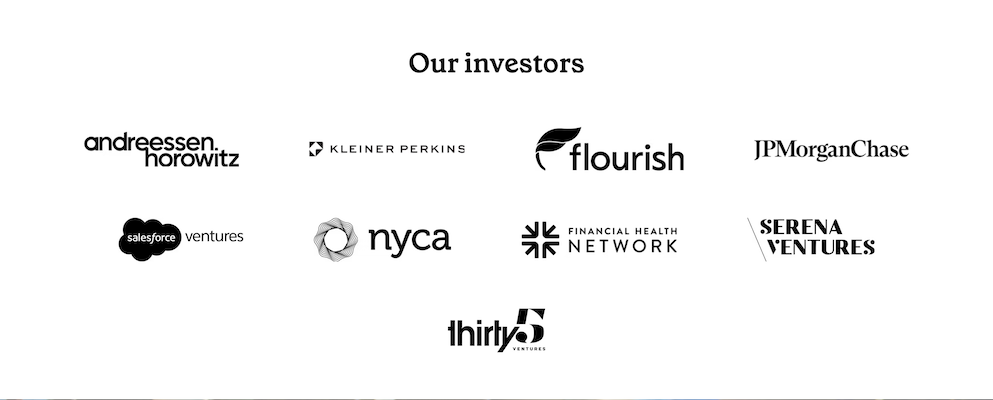
- Overall, your experience using Propel instead of ebtEDGE directly will probably involve fewer button presses to freeze and unfreeze your card. If you're planning to do this every time you make a transaction with it, that's a lot less fumbling with your phone at the checkout line. That being said, Propel has its own reasons to offer you their service – they are a capitalist enterprise, after all, and their investors include some of technofascist oligarchy's greatest hits, notably Andreessen Horowitz and Kleiner Perkins:
These items being acknowledged, information about Propel's app is available at https://www.propel.app/.
I've been hard at work figuring out a solution for an email newsletter version of this blog that can be sent out separately from the static HTML site's standard hosting without requiring adding JavaScript here, and I've landed on something promising. Expect a notice in all the usual places I'm on my bullshit when that becomes available!
-
An archive of the USDA's official EBT modernization map as it was on October 24, 2026 is available from the Wayback Machine. I am intentionally choosing not to link directly to web content hosted by the federal government due to concerns about data harvesting by the Trump administration; the contents of the archived page are the same as the live version I can view as of writing. ↩